
Filtering the Grid
Overview
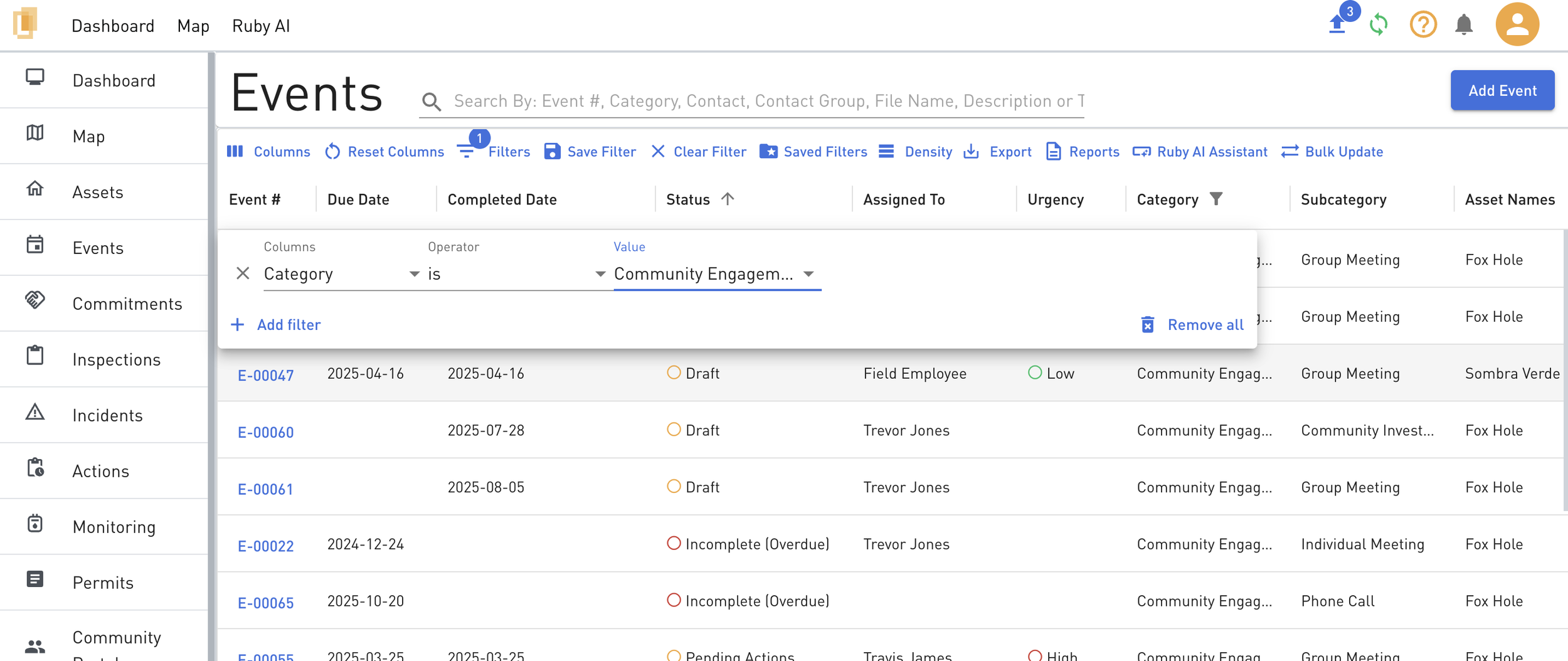
Filtering the grid is an important way to view the data you need in Lynx and is a pre-requisite for the Export, Reports and creation of Dashboard widget features in Lynx.
Steps
At the top of the grid, navigate to the Filters button.
There are three menu options used to create a Filter:
Columns: the column heading where the filter will apply (e.g. Due Date, Status, Category)
Operator: (e.g. “contains”, “does not contain” etc.)
Filter Value: alphanumeric entry to complete the filter
Example: to filter to show all Events within the Stakeholder Engagement Tracking Category:
Category : Is : Stakeholder Engagement Tracking
Click +Add Filter to stack filters using the And/Or dropdown. For example, to refine the above filter to include all Stakeholder Engagement Tracking category events with Urgent status the filter is:
Category : Is : Stakeholder Engagement Tracking
AND Urgency : Is : High
Click Save Filter to add a name to a recurring filter needed for use later on.