
Event Actions
Overview
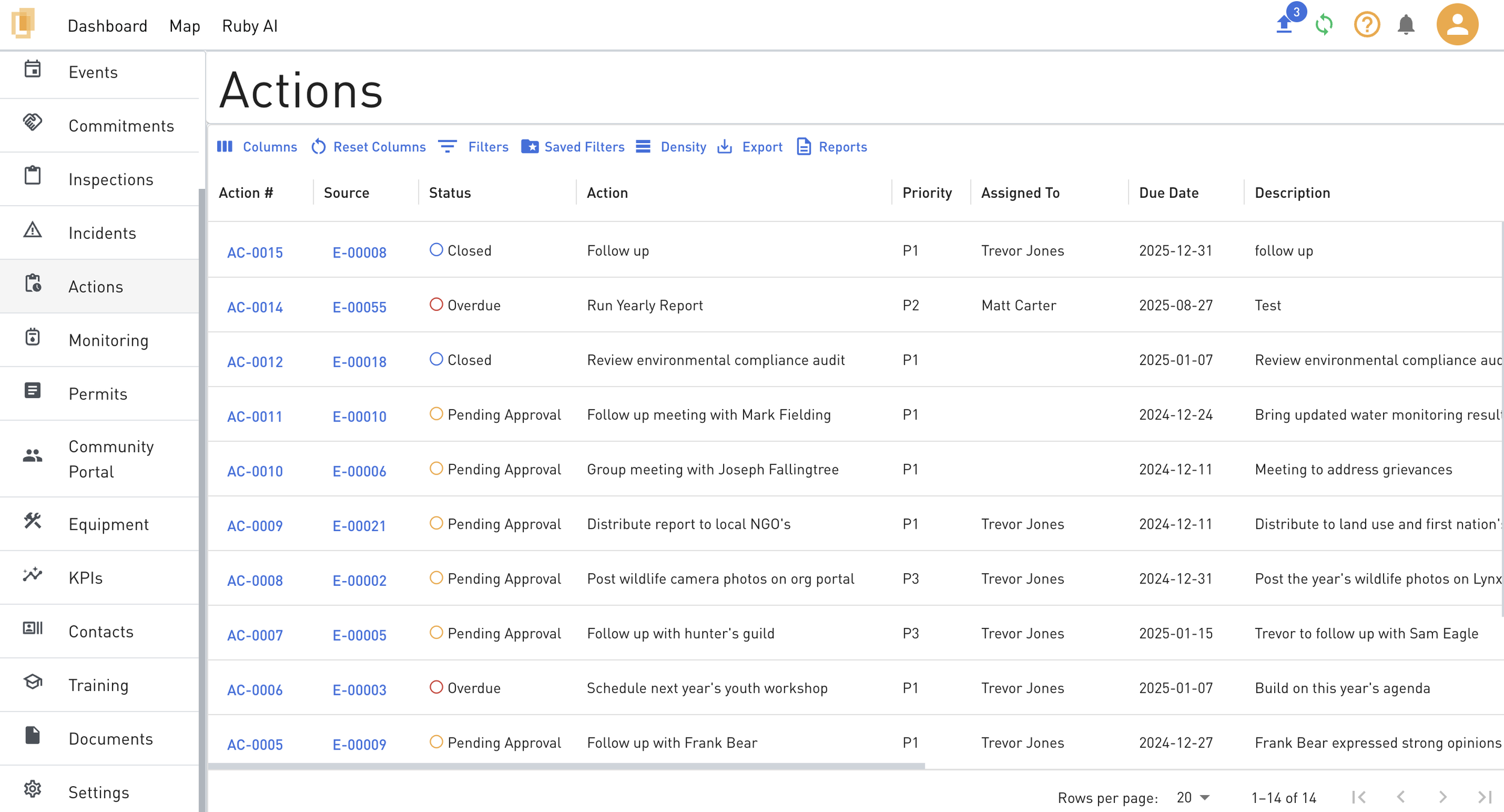
Event actions are follow-up actions associated with events. Actions can represent tasks, preventative actions, or corrective actions. Each action follows a defined workflow that includes approval, completion, and verification stages.
Adding an Event Action
To add a new event action:
Navigate to the Event Details page.
Select Add Action.
Action Stages and Statuses
After an action is created, it progresses through the following stages and statuses:
Approval Stage
Initial status: Pending Approval
The action remains in this status until it is approved.
Approved Stage
Once approved, the action status becomes:
Approved, or
Overdue (if the due date has passed)
Completion Stage
When the action is completed, the status changes to Pending Verification.
Verification Stage
After verification is completed, the action status changes to Closed.
Action Stage Assignments and Permissions
Organization Administrators and Event Administrators always have access to all action stages.
Organization Administrators, Event Administrators, and Event Editors can be assigned to the approval and verification stages.
Stage assignments can be configured:
Ad hoc on the Action Details page, or
In Settings → Events by Organization Administrators or Event Administrators.
Action Notifications
Action notifications can be configured in Settings → Events.
Only System Administrators and Event Administrators can configure action notifications.